Check your equipment connections
Connection issues can be caused by equipment being improperly connected. Cables may have been accidentally unplugged or reconnected to the wrong ports. Use this guide to check that your equipment is connected correctly.
Important: Do not press the factory reset button on your router unless you know how to reconfigure it afterward. Resetting your router without proper setup knowledge can cause further disruptions to your service.
Step 1
Check the power injector
The power injector supplies power to the equipment located on the outside of your home.
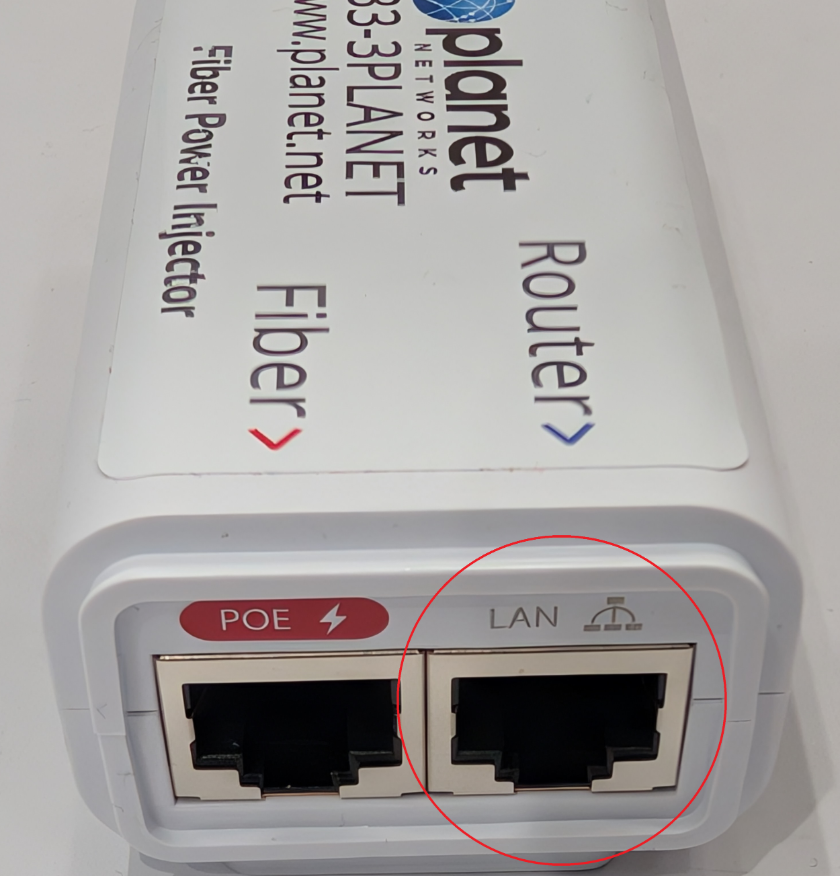
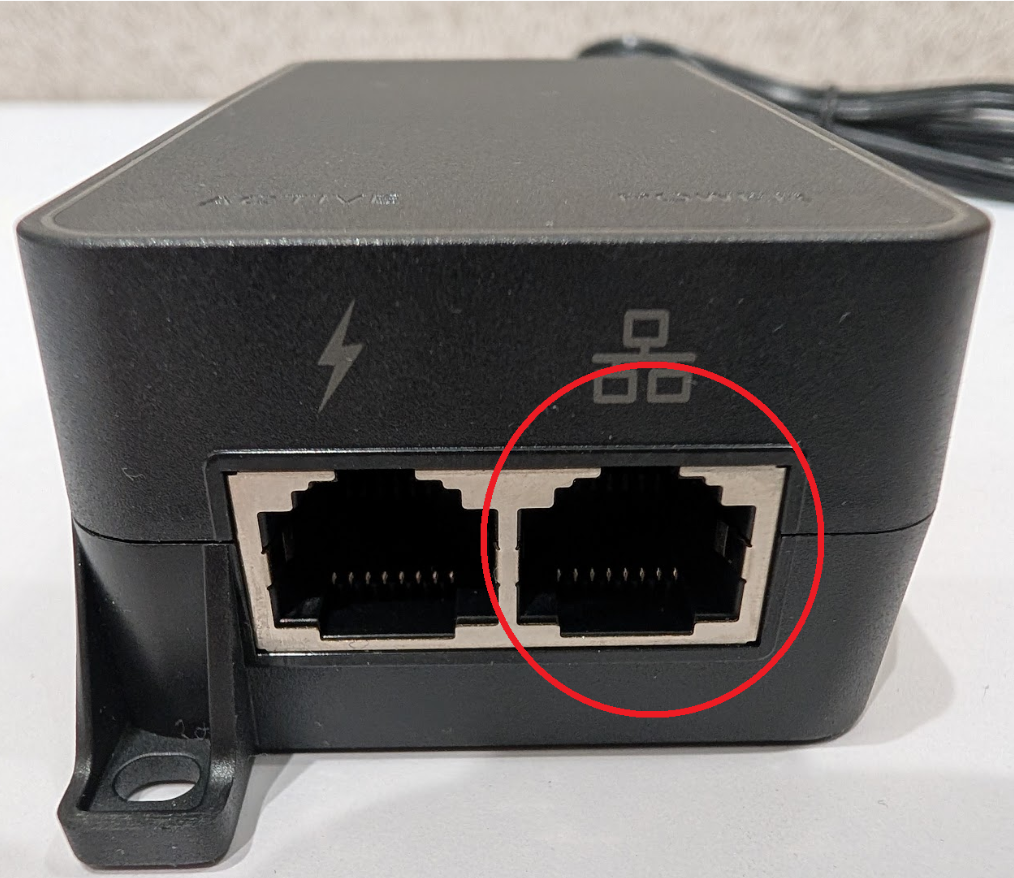
The port labeled PoE or marked with a lightning bolt connects to the cable running outside your home.
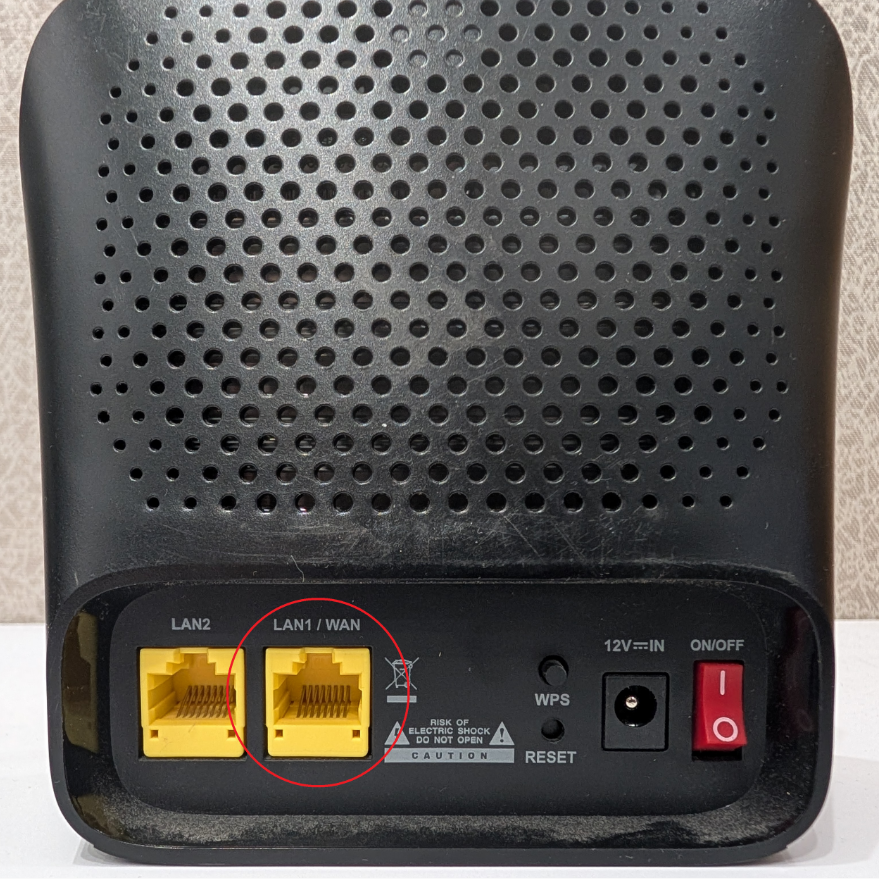
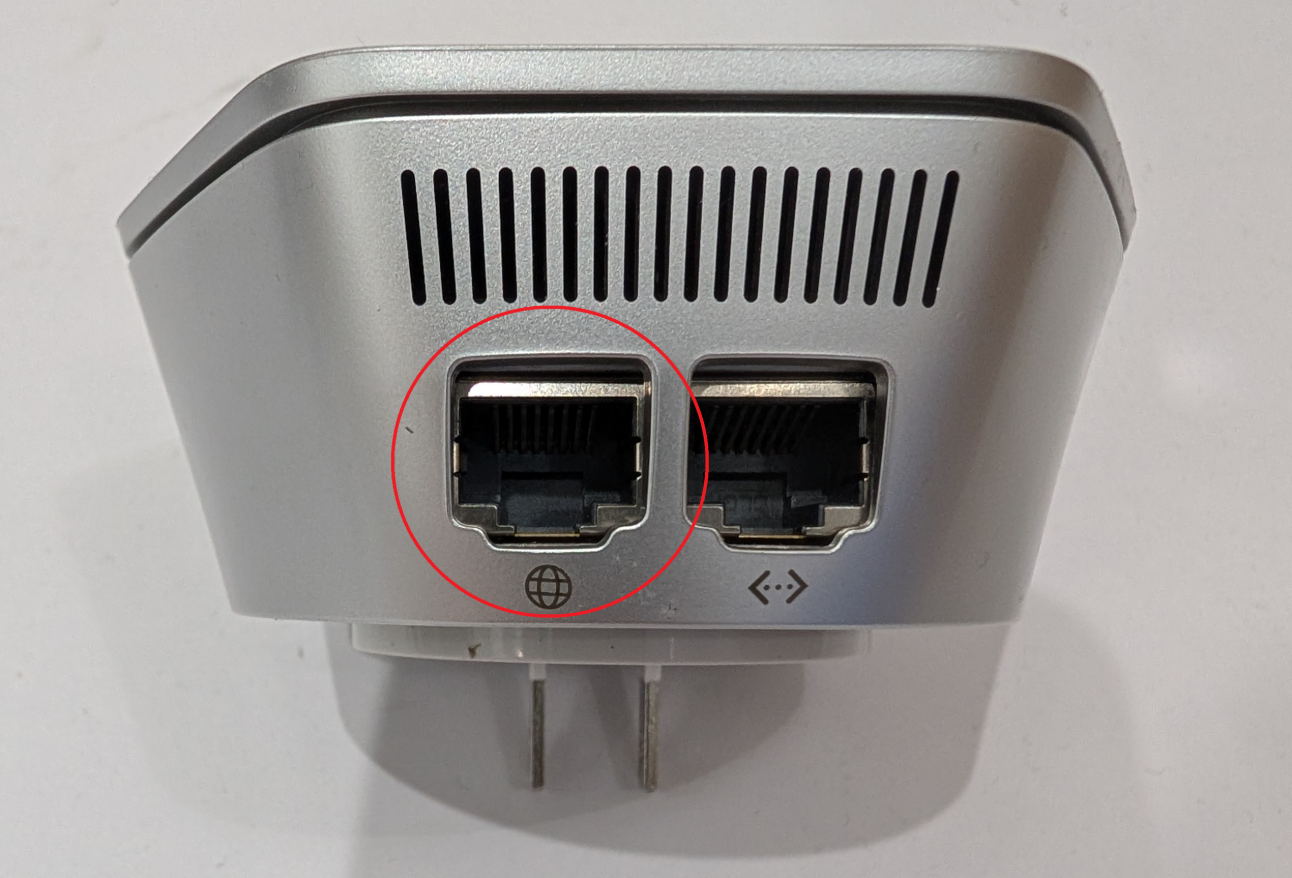
The LAN port, circled in red in the photos, connects to your router’s WAN or Internet port using an Ethernet cable.
Step 2
Check your router
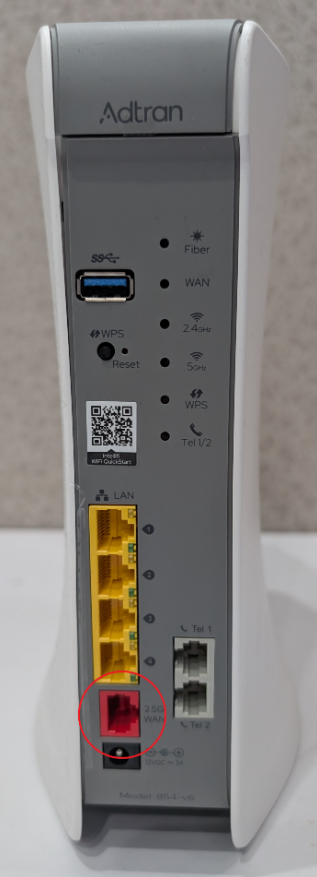
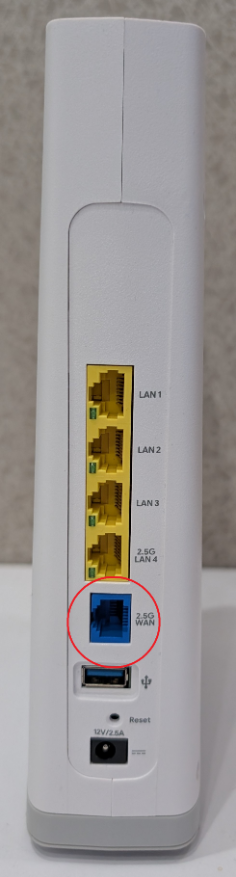
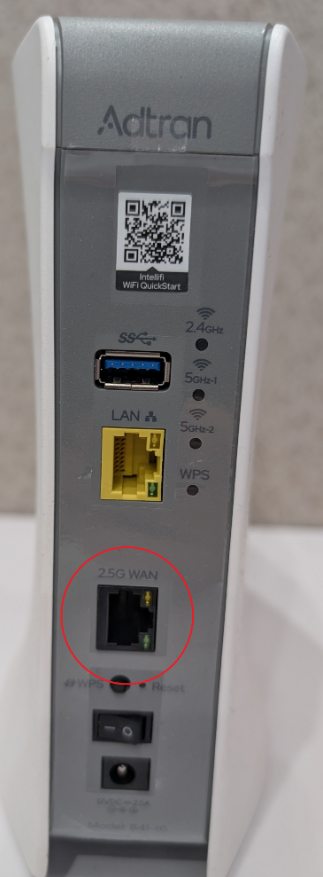
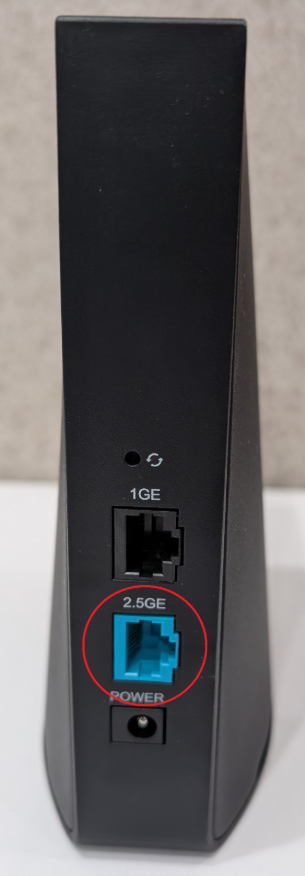
Connect the injector’s LAN port to the WAN port on your router. The photos below show the correct port for each router model.
If you’re using your own router, connect the cable to the port labeled WAN or Internet.